Rails Gravatar
In the previous article in this series, we learned about Active Storage. We set up an interface to allow a user to add an Avatar to their user profile. In Part Two of this two-part series, we extend this feature to use the Gravatar service as a fallback image.
The goal is to check if the user has an attached image. If they do not, then fall back to the image from the Gravatar service. According to the Gravatar website:
Your Gravatar is an image that follows you from site to site appearing beside your name when you do things like comment or post on a blog
What is interesting is that if the user has not provided an Avatar image for their Gravatar profile, it defaults to a standard image. So, in our case, it creates redundancy.
TLTR: The completed repository, if you would like to jump straight to the code.
Helper method
So, we need to create a helper that we will locate in app/helpers/application_helpers.rb:
def avatar_url_for(user, opts = {})
    size = opts[:size || 32]

    if user.avatar.attached?
      user.avatar.variant(
        resize: "#{size}x#{size}!"
      )
    else
      hash = Digest::MD5.hexdigest(user.email.downcase)
      "https://secure.gravatar.com/avatar/#{hash}.webp?s=#{size}"
    end
 end
The method accepts two arguments: the user and an optional option hash. This hash controls the image size, which defaults to 32px. The conditional logic checks for an attached avatar, uses a user-selected avatar, or reverts to a Gravatar, and resizes based on the options array.
Navbar
Active Storage
In the previous article, we checked for the user's avatar like so:
<li class="nav-item">
    <%= link_to user_path(current_user.username), class: "nav-link" do %>
      <% if current_user.avatar.nil? %>
        <%= image_tag current_user.avatar.variant(resize: "24x24!"), class: "mr-1" %>
      <% end %>
      <%= current_user.username %>
    <% end %>
</li>
We can edit this code to use our helper, which includes the logic to check for an avatar. This DRY's out our view file:
<li class="nav-item">
    <%= link_to user_path(current_user.username), class: "nav-link" do %>
      <%= image_tag avatar_url_for(current_user, size: 24), class: "rounded-circle mr-1" %>
      <%= current_user.username %>
    <% end %>
</li>
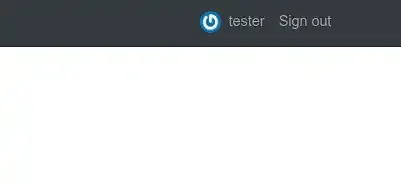
So, if the user hasn't set up an avatar on Gravatar or their user profile, the fallback image is used:
Edit profile
We need to update the edit.html.erb file to use the helper logic. Take a look at the complete source for this file:
<div class="row">
    <div class="col-sm-2">
      <%= image_tag avatar_url_for(current_user, size: 128), class: "rounded-circle m-4" %>
    </div>
    <div class="col-sm-10">
      <div class="form-group">
        <%= f.label :avatar %>
        <%= f.file_field :avatar %>
      </div>
    </div>
  </div>
Show profile
Finally, we need to update the edit.html.erb file to use the helper logic:
<div class="d-flex align-items-center justify-content-center mt-5">
  <div class="media mr-5 align-self-start">
    <%= image_tag avatar_url_for(current_user, size: 128), class: "rounded-circle mr-4" %>
  </div>
  <div class="media">
    <div class="media-body">
      <div class="d-flex flex-row align-items-center justify-content-between">
        <h1><%= @user.username %></h1>
        <%= link_to "Edit", edit_user_registration_path, class: "ml-3 btn btn-secondary btn-sm" if current_user.id == @user.id %>

      </div>
    </div>
  </div>
</div>